Frequently asked questions
Everything you need to know about CookNest: saving and importing recipes, meal planning, shopping lists, nutrition, privacy, and the PRO subscription.
Getting started
What is CookNest?
CookNest is an all-in-one recipe app that lets you save, organize, plan and cook your recipes in one place. You can import recipes from Instagram, TikTok, YouTube, Facebook, websites and blogs, digitize handwritten or photographed recipes, build weekly meal plans, and generate automatic shopping lists. It's available on iPhone, iPad, Android and the web.
Is CookNest free?
Yes. You can sign up and cook with CookNest without paying and without a card. The free plan gives you 3 automatic recipe imports every week, unlimited recipes you write in yourself, the collections and the search with no limits, and a meal plan and a shopping list of your own, with planning for this week and next. CookNest PRO is optional and lifts those limits.
Which devices can I use CookNest on?
CookNest works on iPhone, iPad and Android, and you can also open your recipes from any web browser at cooknest.app. Your recipes, collections and meal plans stay in sync across all your devices.
Do I need to create an account?
Yes. CookNest only asks for your name and email so your recipes are safely backed up and synced across your phone, tablet and the web. You stay in control of your data at all times.
Saving & importing recipes
How do I save a recipe from Instagram, TikTok or YouTube?
Open the recipe in Instagram, TikTok or YouTube, tap Share, and choose CookNest. CookNest reads the post or video and saves the recipe to your recipe book with its ingredients, steps and photo, ready to cook or edit.
See how recipe import worksCan I import recipes from any website or blog?
Yes. Share the page with CookNest or paste its link, and CookNest extracts the ingredients, steps and image automatically. It already works with more than 95% of recipe websites, and we keep expanding coverage.
Can I add my own or handwritten recipes?
Absolutely. You can type your recipes in manually, or take a photo of a handwritten card, notebook or magazine page and CookNest will digitize it into a clean, editable recipe.
More about digitizing recipesWhy couldn't a recipe be imported?
CookNest reads the post's description and subtitles, and also what's said in the video. Some posts can't be imported because the recipe doesn't appear anywhere: it's neither written nor said, like a video that only shows the cooking over music. A few websites may also not be supported yet. CookNest already handles over 95% of recipe pages and we're working toward full coverage.
Organizing, planning & cooking
How does CookNest help me organize my recipes?
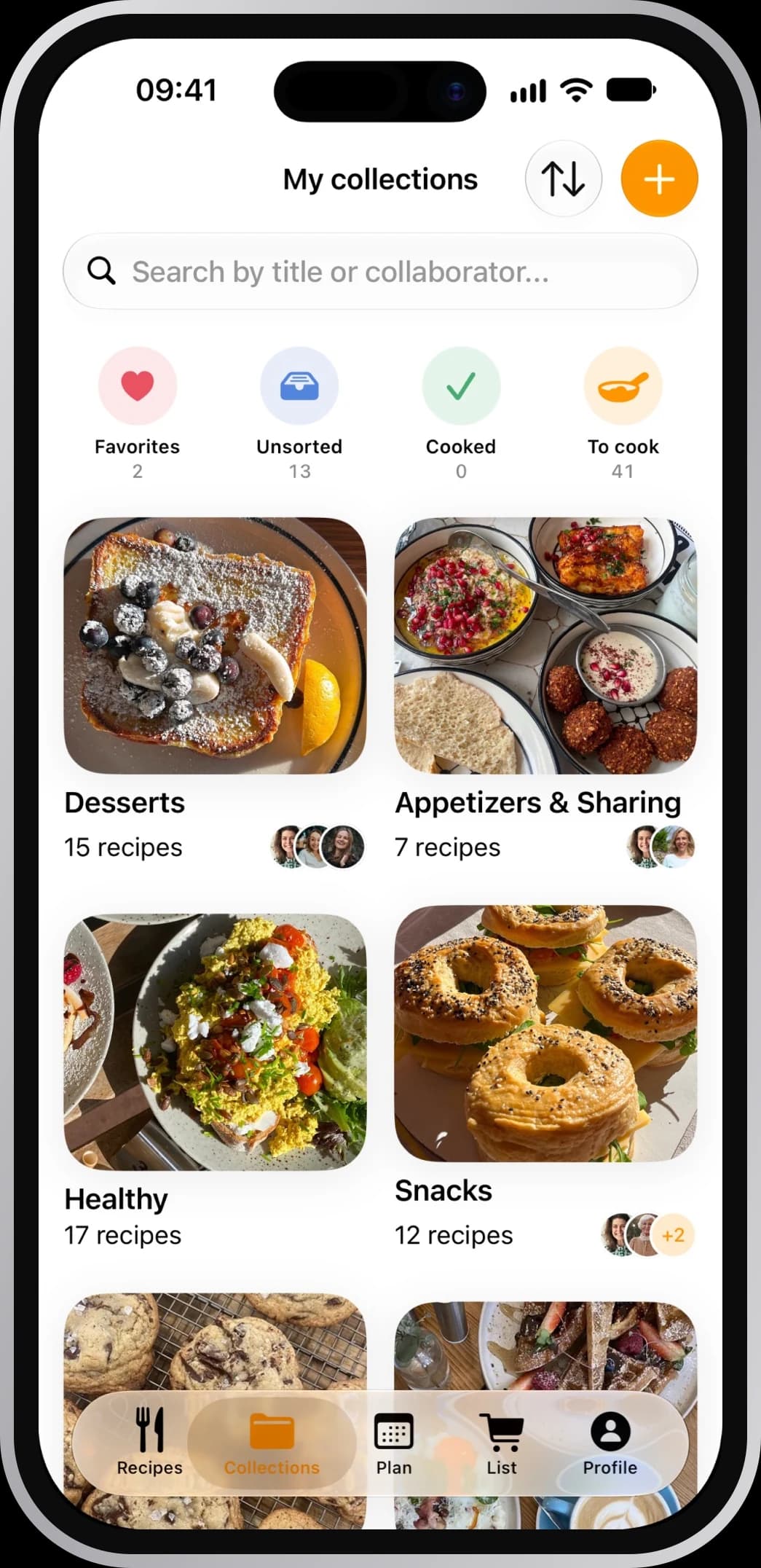
CookNest keeps every recipe in one searchable library. You can group recipes into collections, filter by ingredient to cook with what you already have, and find any recipe in seconds. No more scrolling through screenshots and saved links.
Explore recipe collectionsCan I plan my weekly meals?
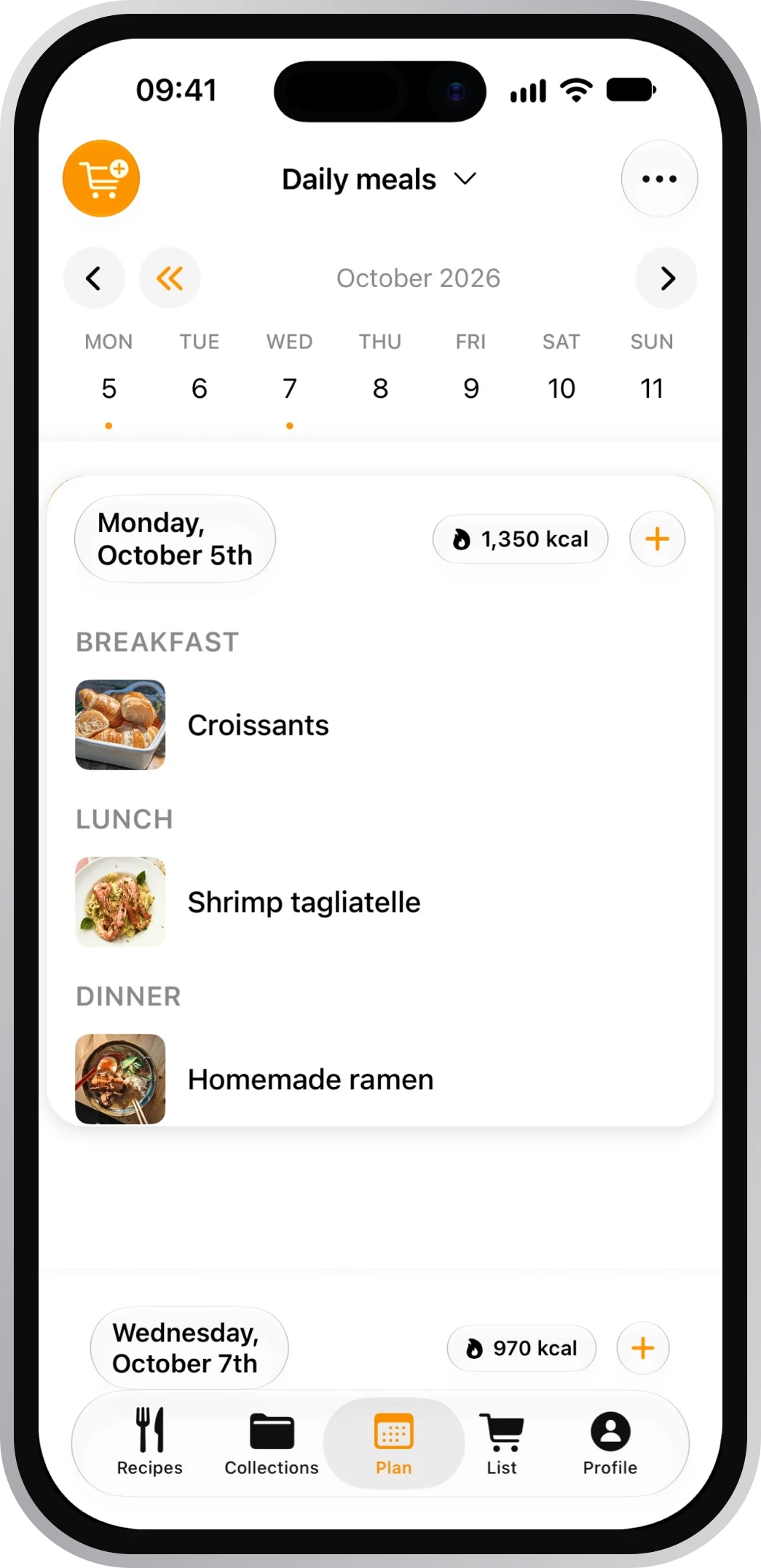
Yes. With the meal planner you can drag your saved recipes onto each day of the week, adjust the number of servings, and see your whole week at a glance, so 'what's for dinner?' is already answered. The free plan covers this week and next. With CookNest PRO you can plan any week, keep more than one plan and reuse saved menus.
Discover the weekly meal plannerDoes CookNest create a shopping list automatically?
Yes. Add a recipe's ingredients to your list in one tap and CookNest combines the ones that repeat. You can tick items off as you shop and share the list with whoever cooks with you. With CookNest PRO, you can send your whole week's plan to the list at once and see it grouped by supermarket aisle.
Learn about smart shopping listsDoes CookNest count calories and macros?
Yes. CookNest automatically calculates the calories and macronutrients (protein, carbohydrates and fat) for every recipe, and recalculates them when you change the number of servings, so you always see the nutrition per serving.
Can CookNest help me hit my calorie or macro goals?
Yes. Because every recipe shows its calories and macros, CookNest is a handy way to count macros and plan meals around your goals, whether you're eating high-protein, keto, vegetarian or simply watching calories. Add recipes to your weekly plan and you can see how the week adds up.
Can I order a printed cookbook of my recipes?
Yes. You can design and order your own physical cookbook with your favorite recipes and photos, a great gift or a keepsake of your family recipes.
Create your printed cookbookSharing & privacy
Are my recipes private?
Yes. Your recipes are private and belong only to you. They're stored securely, and no one can see them unless you choose to share. You always decide what stays private and what you share.
Can I cook together with family or friends?
Yes. You can share collections with family or friends, so everyone can add and see the same recipes, perfect for a household or for planning meals together.
CookNest PRO & subscription
What's included in CookNest PRO?
PRO lifts the limits of the free plan: unlimited automatic imports instead of 3 a week, digitizing recipes from a photo of a cookbook or a handwritten note, dictating a recipe out loud, step by step cook mode, nutrition information, voice notes, AI recipe images and translating any recipe into your language. It also adds more meal plans and shopping lists, planning any week, saved menus, adding your week's meals to the list at once and sorting the list by aisle. Your recipes always stay yours, whether or not you continue with PRO.
Explore voice dictationHow do I cancel, and do I keep my recipes?
You can cancel anytime from your App Store or Google Play subscription settings, and you'll keep PRO until the current period ends. Canceling never deletes anything: all your recipes, collections and lists stay in your account.

Need help with CookNest?
We're here to help you with any questions or issues you might have with CookNest.
help@cooknest.app