
Save recipes from Instagram, TikTok and the web
Share a Reel, a TikTok or a blog link with CookNest. You get a clean recipe, with ingredients and steps.

instagram.com/reel/…
 CookNestImported
Passion fruit and orange cake
8 ingredients · 6 steps · 45 min
- Flour250 g
- Sugar180 g
- Eggs3
Any recipe, in your cookbook
Wherever you find it, it ends up clean and in its place.
- Instagram
 TikTok
 YouTube
 Pinterest
 Facebook
 X
X
From any app
Reels, TikToks, YouTube videos, pins and any food blog.
 Cinnamon rollsCookNestIngredients
- Bread flour500 g
- Milk250 ml
- Butter80 g
- Cinnamon2 tbsp
Even from videos
It listens to the video and reads the caption, so you get the recipe even when nobody wrote it down.
- CookNestDesserts
- Passion fruit and orange cakeFrom Instagram
 Cherry layer cakeFrom TikTok
- Cinnamon rollsFrom a blog
Saved where you want
Drop it into a collection. If the post disappears, your recipe stays, offline too.
You can also import from a photo or from a voice note
How it works
From a link to your cookbook in a few seconds.
Share it or paste the link
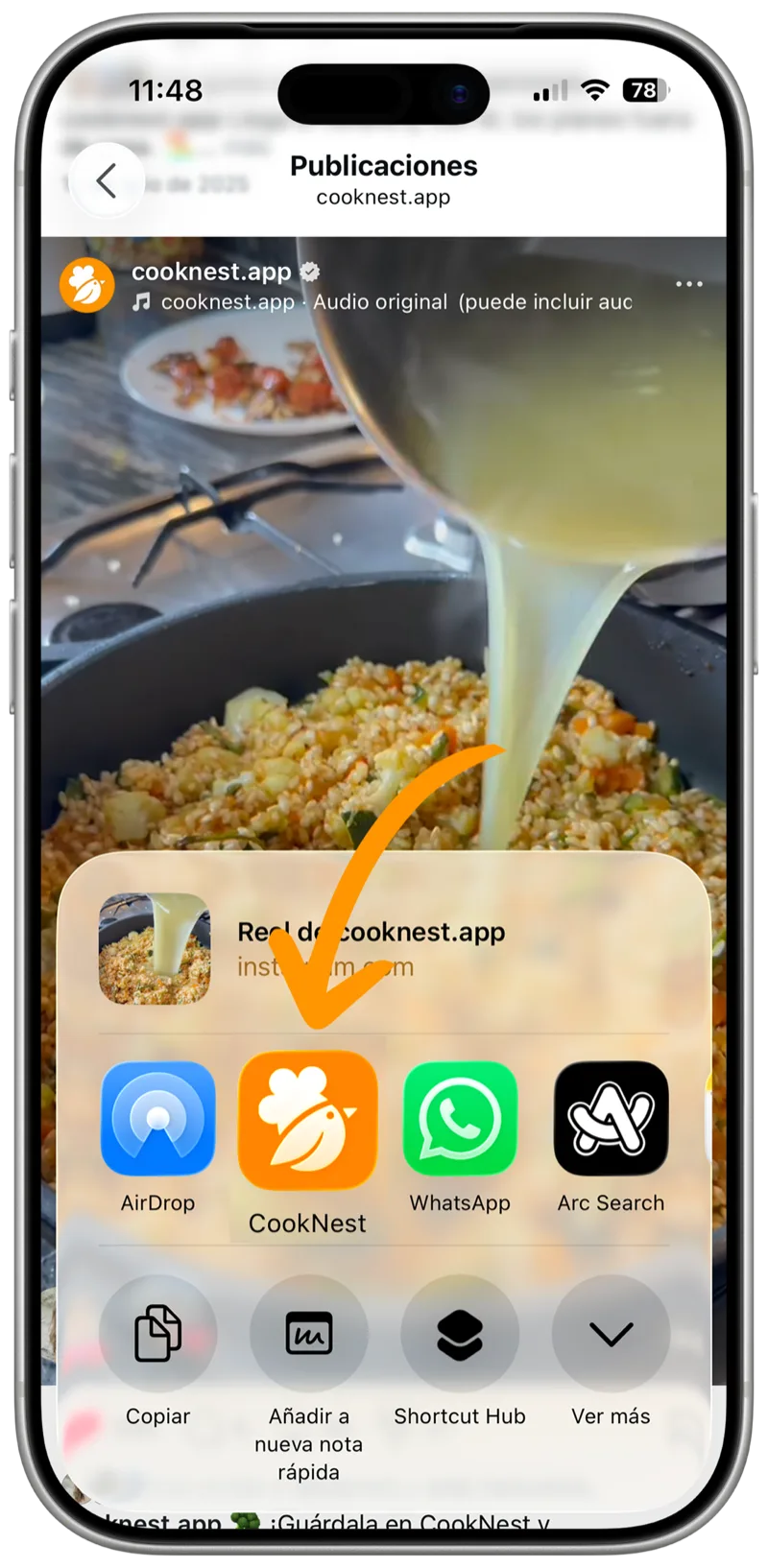
Tap “Share” on Instagram, TikTok or YouTube and pick CookNest. Or paste a link from any website.
AI pulls out the recipe
Ingredients, steps and nutrition, with no ads and no life story.
Check it and cook
Edit what you like, add it to a collection and plan when to make it.
Frequently asked questions
Where can I import recipes from?
From Instagram, TikTok, YouTube, Pinterest, Facebook and any cooking blog or website. Tap “Share” in the app where you found the recipe, or paste the link into CookNest and the AI does the rest.
You can also import from a photo
or from a voice note
How do I save an Instagram or TikTok recipe?
Open the video or post, tap “Share” and choose CookNest. You can also copy the link and paste it into the app and the recipe lands in your cookbook in seconds.
Does it work with video recipes?
Yes. CookNest analyzes the audio, captions and description of a Reel, Short or TikTok to detect ingredients and steps, even when nobody lists them in writing.
Can I edit the recipe after importing it?
Yes. You can fix ingredients, reorder steps, change servings, add notes and upload your own photos before you cook.
How many recipes can I import for free?
3 every week, plus as many recipes as you want to write in yourself. The weekly planner and the shopping list are free too. CookNest PRO lifts the weekly limit and adds digitizing from photos, cook mode, nutrition information and voice notes.
Are imported recipes saved forever?
Yes. Once imported, the recipe lives in your cookbook and works offline. If the original video or link ever disappears, your recipe stays with you.