
Your shopping list, straight from your recipes
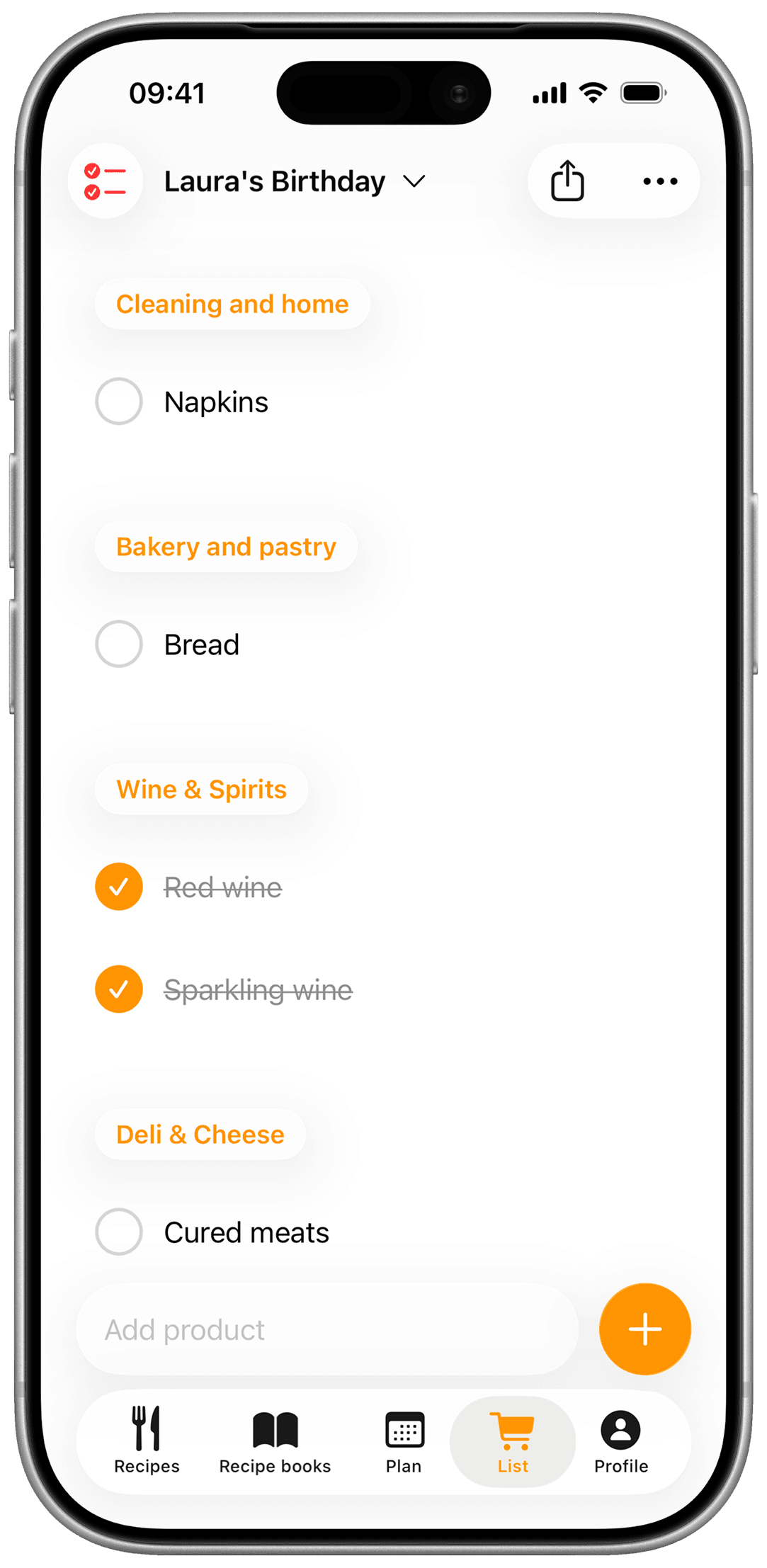
Send a recipe's ingredients to the list in one tap and tick them off as you shop. With PRO, the whole week's menu, sorted by supermarket section.




From this week's menu
 CookNestShopping list
- Fruits and vegetables
- Zucchini3
- Avocados2
- Cherry tomatoes250 g
- Meat
- Ground beef400 g
- Eggs, milk, and butter
- Eggs6
- Bakery and pastry
- Sourdough bread1
A list that writes itself
You pick the menu, CookNest does the rest.
- CookNestThis week
- MonRigatoni with ragù
- TueZucchini fritters
- WedAvocado egg toast
Add to listStraight from your menu
Send a recipe to your list in one tap or, with PRO, the whole week. Repeated ingredients are added up.
- Mon
- CookNestRigatoni with ragù
- Rigatoni400 g
- Ground beef400 g
- Crushed tomatoes800 g
- Olive oil
- Salt
The fridge marks what you already have.
Leaves out what you have
Tell CookNest what you always keep at home. Those ingredients start unticked, so they stay off your list.
Weekly shop
Marta and you


- Burrata2
- Sourdough bread1
- Arugula1 bag
- Parmesan100 g
Shared with whoever shops
Invite your partner or family. What they tick shows up on your phone right away.
Plan the week first with the meal planner
How it works
From your menu to the store, no pen needed.
Send a recipe or your menu
From a recipe, tap “Add to shopping list”. With PRO, add the whole week from the planner.
It adds up repeats
It merges repeated ingredients and adds up their quantities. With PRO, each item goes to its section, in the order you walk your store.
Tick it off as you shop
Check each item as you grab it, and add anything else by hand.
Frequently asked questions
How do I make the shopping list?
From any recipe, tap “Add to shopping list”. With CookNest PRO, you can also send the whole week at once from the planner. CookNest puts every ingredient on one list.
Plan the week first with the meal planner
Does it add up repeated ingredients?
Yes. If an ingredient appears in several recipes, it shows up once with the quantities added up.
Is the list sorted by supermarket section?
Yes, with CookNest PRO. Each item goes to its section (fruits and vegetables, meat, bakery and so on), and you can order the sections the way you walk your store.
Does it leave out what I already have?
Yes, once you set up your pantry in your profile. Those ingredients start unticked when you add a recipe, and you can tick them if you run out.
Can I add things that aren't from a recipe?
Yes. Add any product by hand and use it for the whole household shop.
Can I share the list with someone else?
Yes. Invite your partner or family to the list and you'll both see changes right away.
Is the shopping list free?
Yes: one list of your own, which you can share, and recipes to the list in one tap. With CookNest PRO you get more lists, send the whole week, see it sorted by section and scan handwritten lists.